Welcome! #
Welcome to the BacklinkCRM Support Guide!
We’re excited to introduce our new Support Center — designed to help you find answers quickly and get the most out of BacklinkCRM.
Tool Overview #
Welcome to BacklinkCRM– a smart tool to help you manage your backlinks-exchanges, partners and clients in one place.
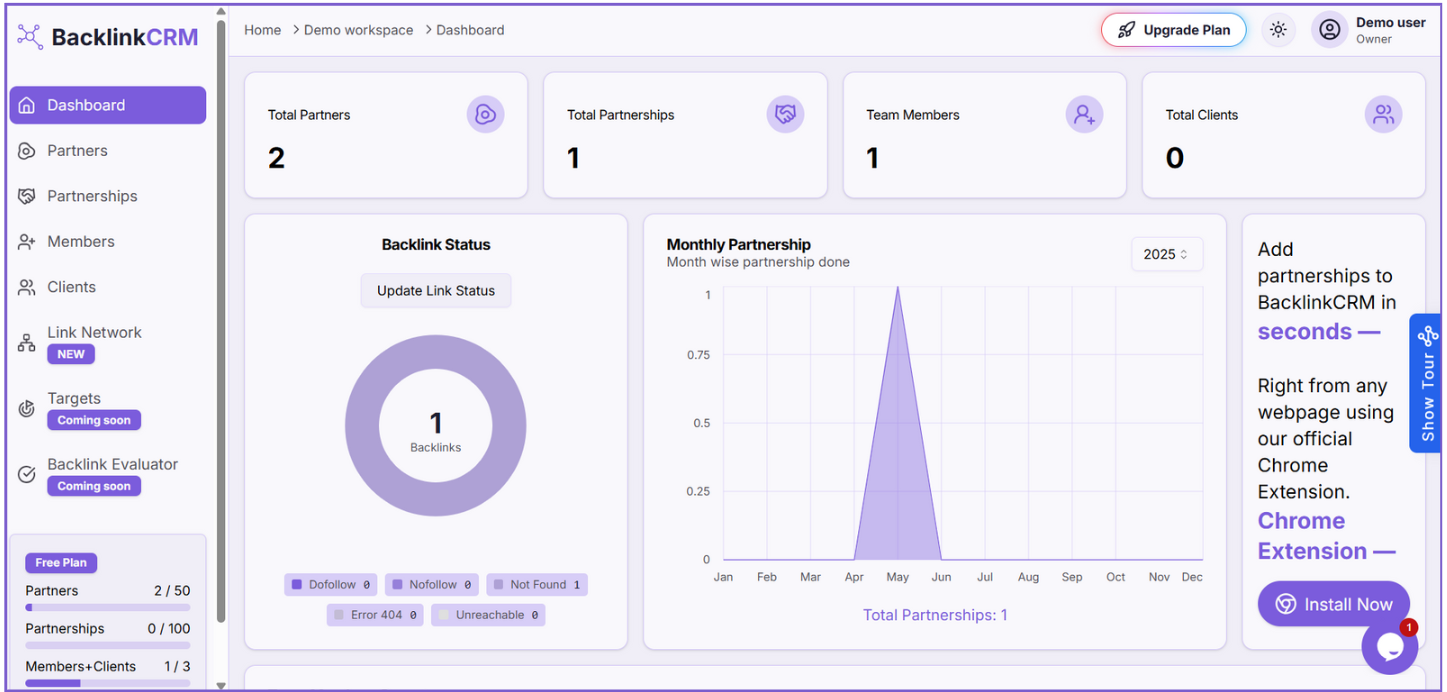
With this tool, you can create and track partnerships, add team members and clients, and see how backlinks are shared between different websites.
What You Can Do #
- Create and Manage Partnerships
Build backlink partnerships with other websites and keep track of their status. - Add Team Members
Invite your team and give them roles (like Admin or Member) so they can help manage the work. - Manage Clients/partners-dashboard
Add clients to your workspace and track their backlink progress easily. - See the Link Network
View a visual network that shows how backlinks are connected between your partners and clients. - Role-Based Dashboards
Each user sees a dashboard based on their role, showing only the info they need. - Track All Data in One Place
Easily view and manage:
- Partners
- Partnerships
- Members
- Clients
- Backlink status (live, lost, pending)
- Partners
- Use the Chrome Extension
With our Chrome Extension, you can:
- Create new partnerships while browsing any site
- Add new partners with one click
- Manage everything quickly, without opening the main dashboard
- Create new partnerships while browsing any site
Why You’ll Love It #
- Everything is organized in one place
- Work together with your team or clients
- Quickly see what’s working and what needs attention
- Save time with our easy-to-use Chrome Extension