
Upgrading your workspace is quick and simple! Just follow these steps:
Step 1: Click the “Upgrade Plan” button #
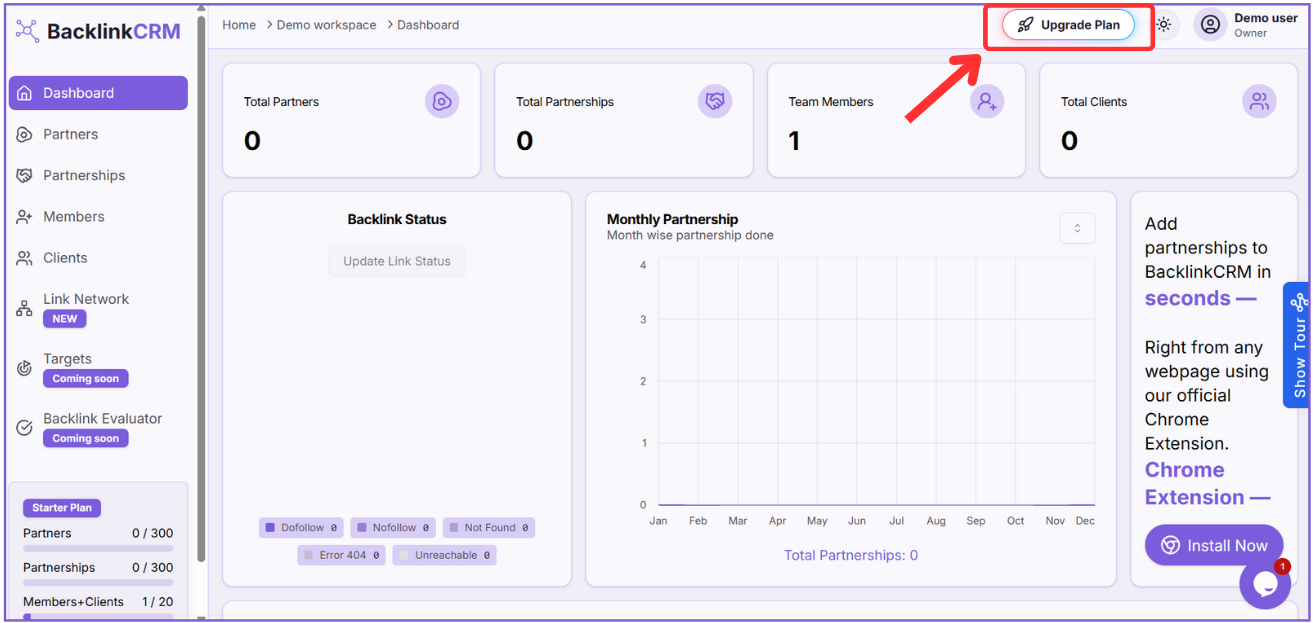
Located at the top right of your Dashboard.
Step 2: Choose your Billing Type #
Toggle between Monthly or Yearly to suit your preference.
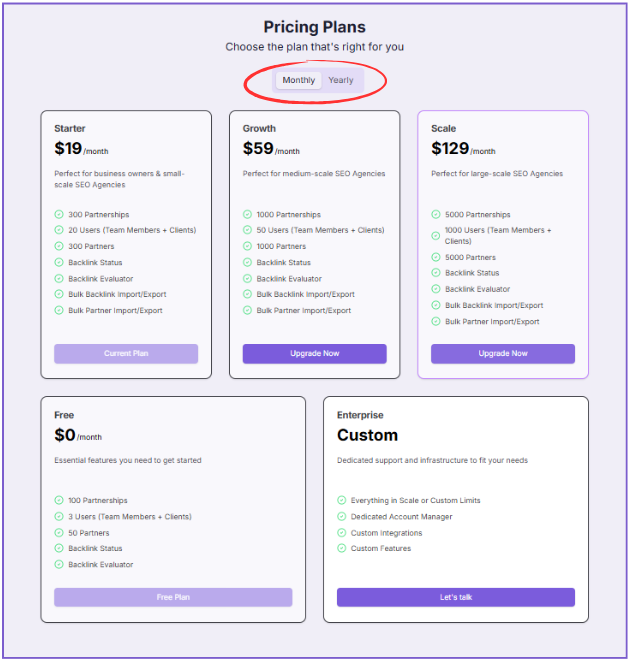
Step 3: Pick Your Plan #
Review the features and limits for each plan. When ready, click “Upgrade Now” on the plan you want.
Step 4: Complete Payment #
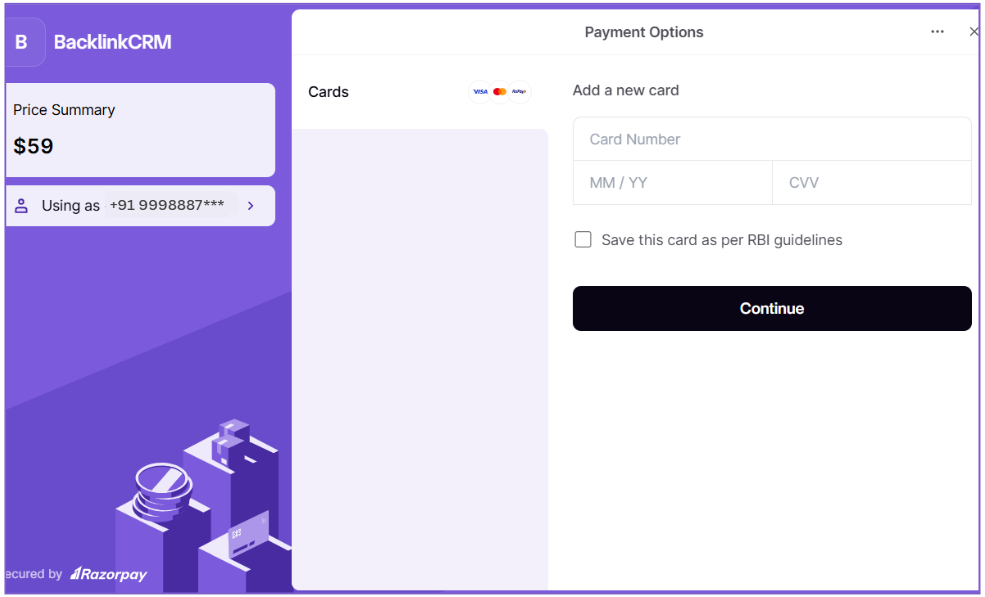
You’ll be redirected to Razorpay’s secure payment page. Proceed with the payment to activate your new plan.
Need something custom? #
Select the Enterprise plan and hit “Let’s Talk” – we’ll create a personalized plan tailored to your needs.