
You can easily update your full name from your account settings. Follow the steps below:
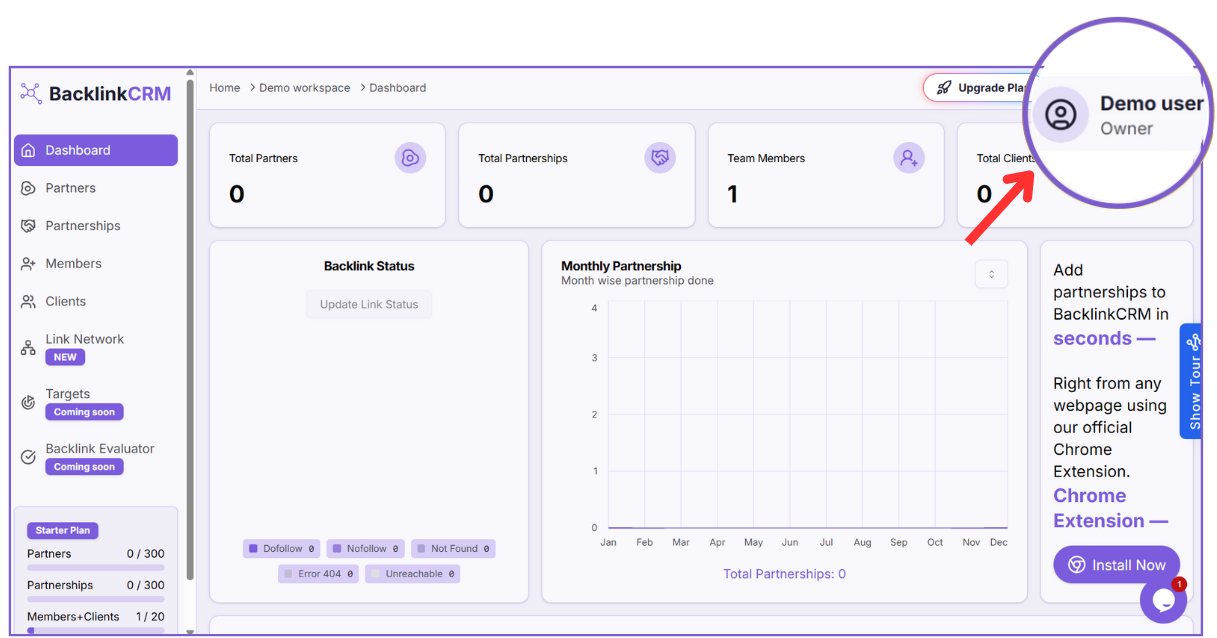
- Click on your profile name (e.g., “Demo User”) at the top right corner.
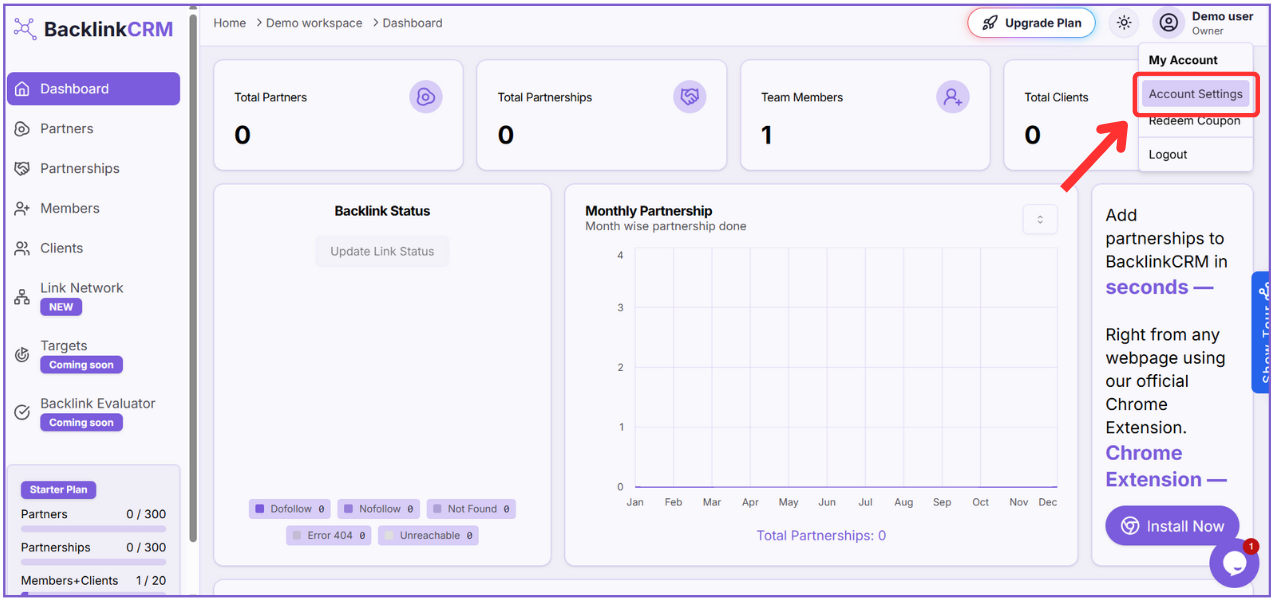
2. From the dropdown, choose Account Settings.
This opens the settings page where you can manage your profile details.
3. Inside the Account Settings page, locate the User Profile section.
Here, update the Full Name as needed.
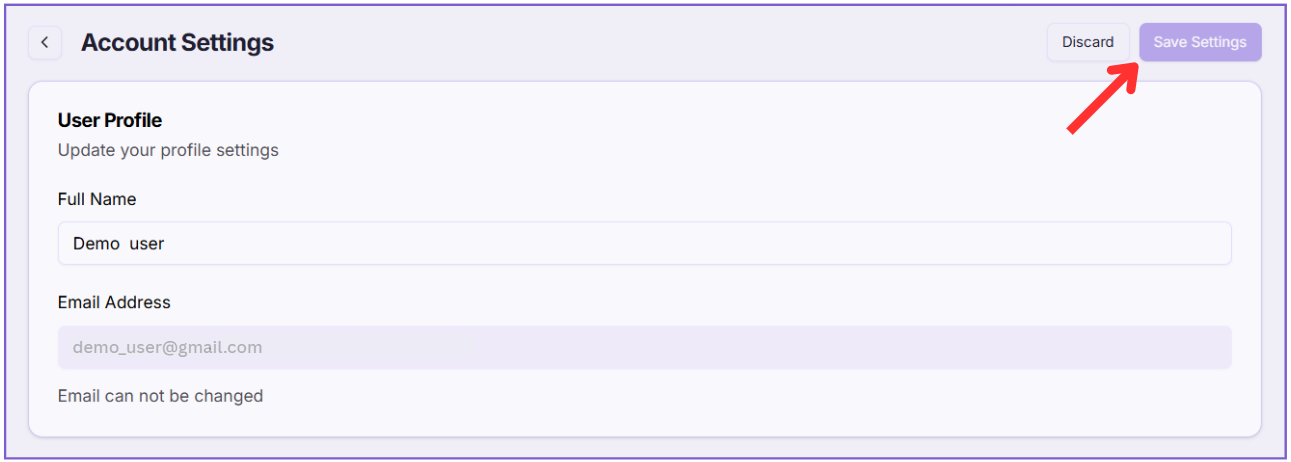
The Email Address is shown but cannot be changed.
4. Once you’ve updated the name, click the Save Settings button in the top-right corner to apply the changes.
This will update your profile information successfully.
Note: Your email address cannot be changed for security reasons. Only your full name can be updated.