
To redeem your plan using a coupon code, follow these simple steps:
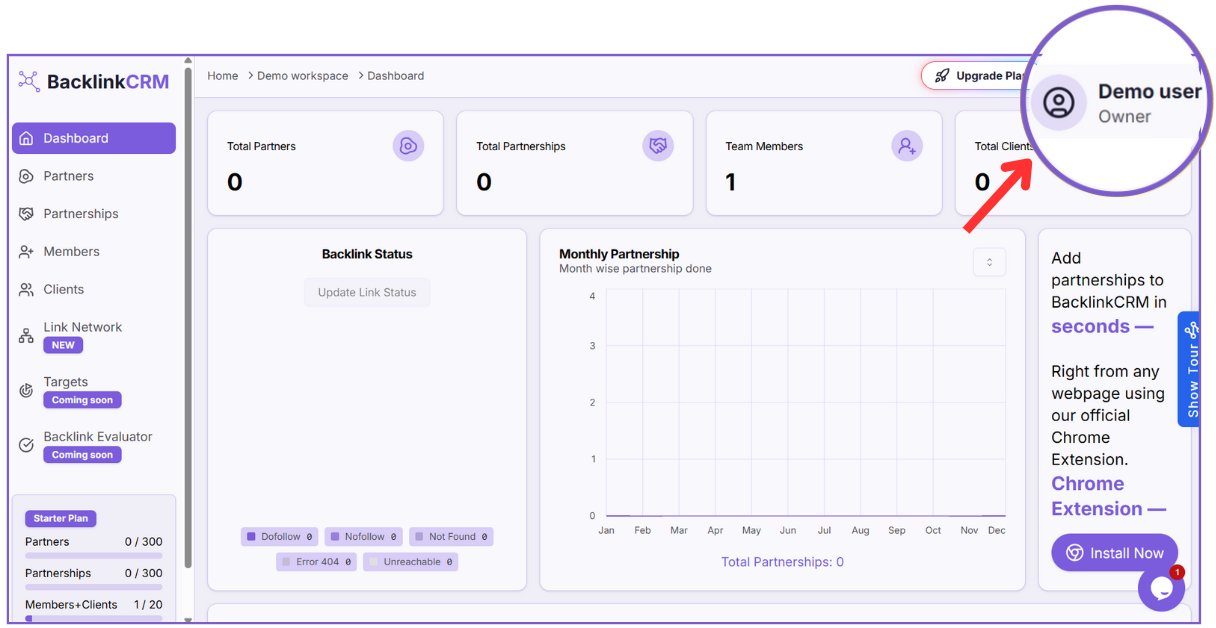
Step 1: Open Account Menu #
Click on your profile at the top-right corner of the dashboard.
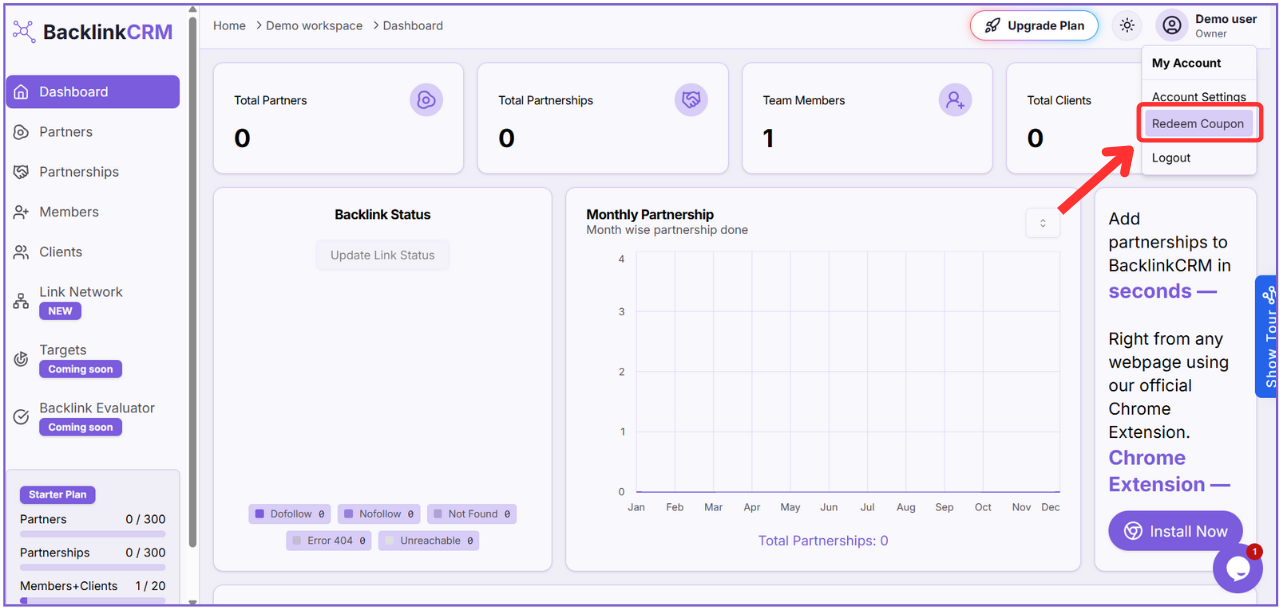
Step 2: Select “Redeem Coupon” #
From the dropdown, click on the Redeem Coupon option.
Step3: Enter Your Redeem Code #
In the “Redeem Your Coupon” screen, type your code in the input field.
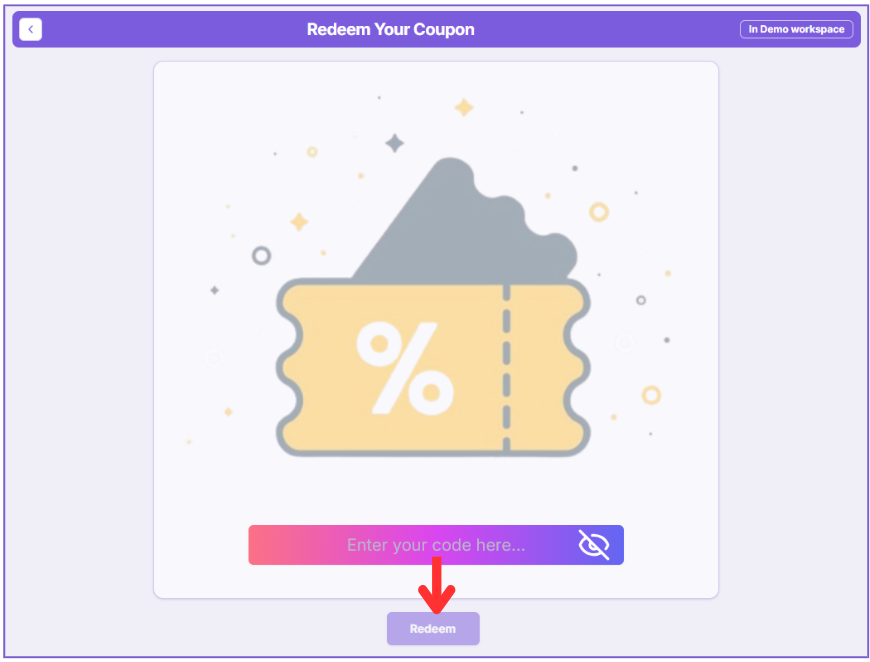
Step 4: Click Redeem #
Finally, click the Redeem button to activate your plan.
Note 01: Make sure the code hasn’t expired or been used before. Each code can only be redeemed once.
Note 02:
If your redeem code is valid, your plan will be upgraded immediately. If you face any issues, double-check the code for typos or contact support for assistance.