
To view how much of your plan you’ve used and what your current limits are, follow these steps:
Step 1: Go to the Dashboard #
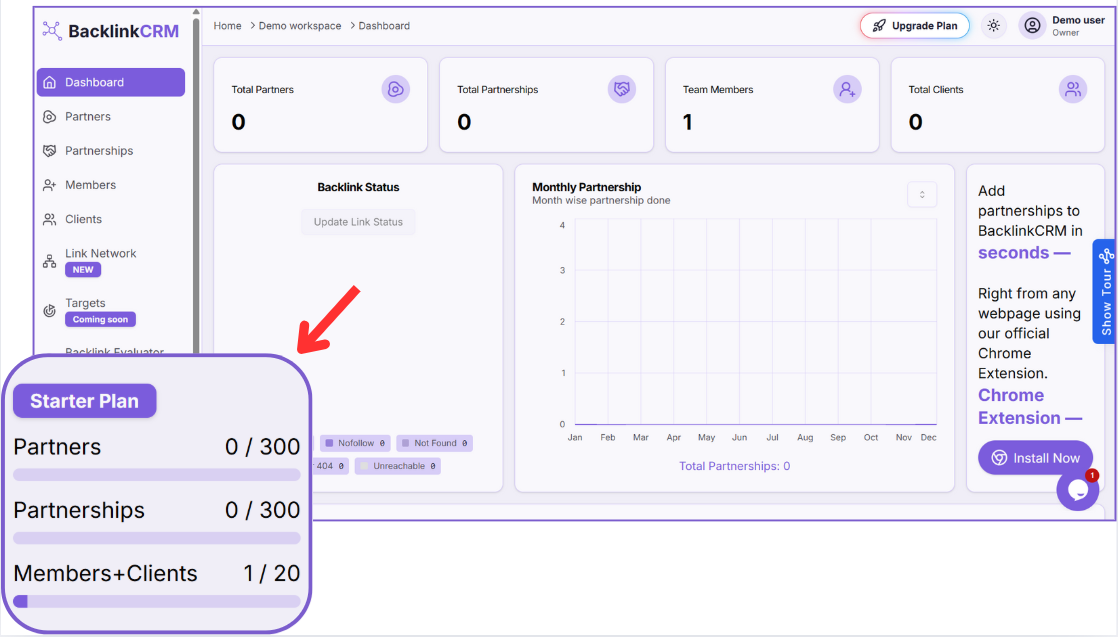
From the left-hand sidebar, click on the Dashboard menu (refer to marker 1 in the image).
Step 2: View the Usage Panel #
In the lower-left section of the sidebar, you’ll find your current plan usage box (refer to marker 2 in the image).
It displays the following:
- Partners: Number of partners added (e.g., 0 / 300)
- Partnerships: Backlink partnerships created (e.g., 0/ 300)
- Members + Clients: Total users across both roles (e.g., 1 / 20)
Note:
If you’re nearing your usage limits, you can click the “Upgrade Plan” button in the top-right corner to increase your plan limits.