
Exporting your partnerships/backlinks is quick and easy. With just one click, you can download all partnerships in your workspace as an .xlsx file.
How to Export: #
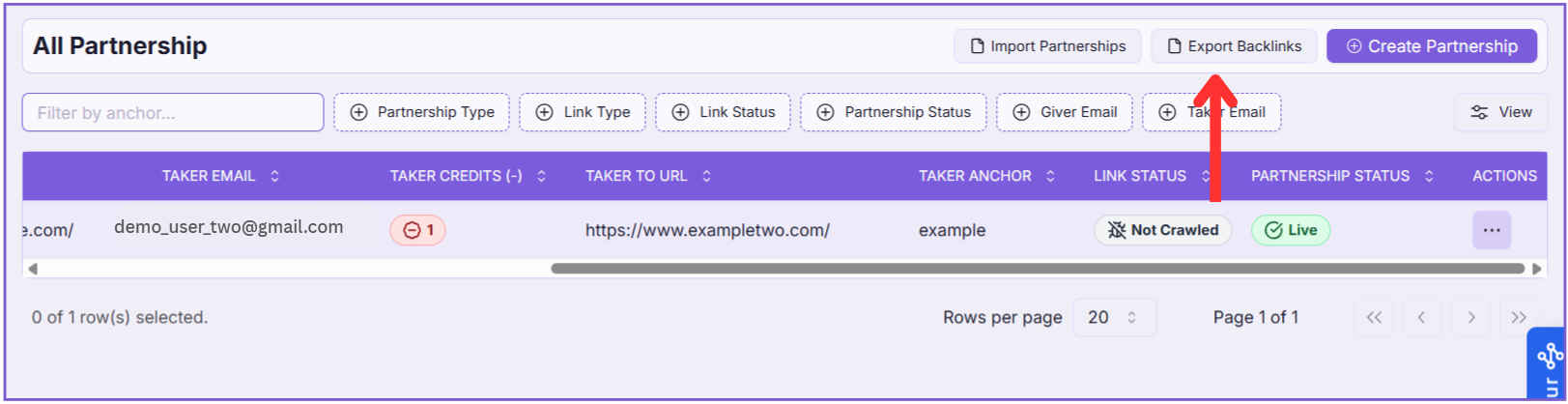
- Go to the All Partnerships page.
- Click the Export Backlinks button at the top right.
Your partnerships data will be downloaded instantly in an Excel file.
Note: The export file format is different from the import format.
If you plan to import the exported partnerships into another workspace, make sure the file is updated to match the correct format defined in the Import Partnerships section.