
To delete a partner from your workspace:
Step 1: Open the Action Menu #
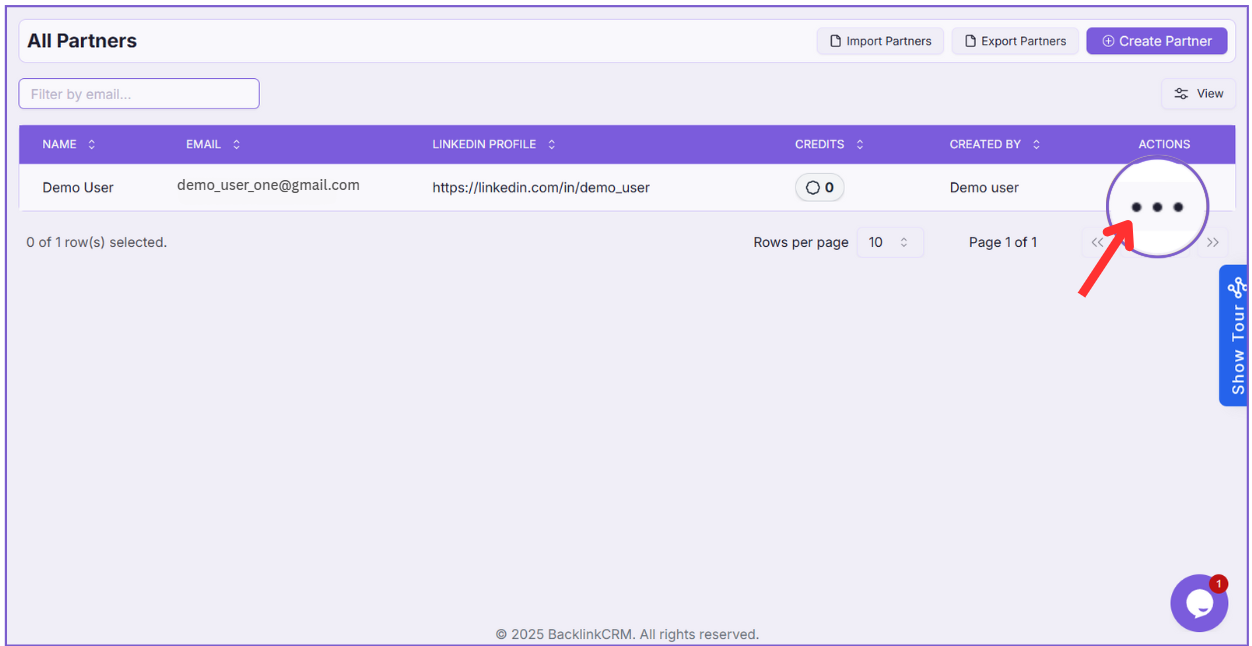
- On the All Partners page, locate the partner you want to delete.
- Click on the three-dot menu under the Actions column.
Step 2: Select “Delete” #
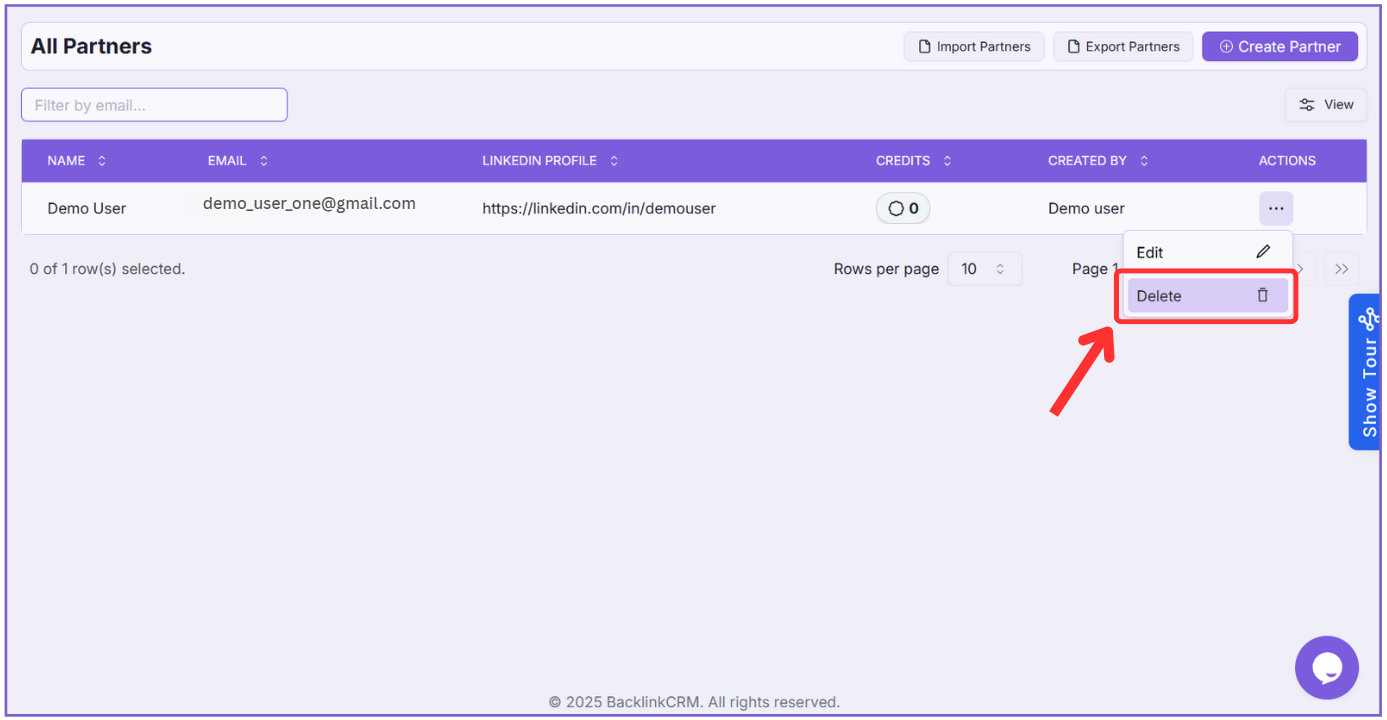
From the dropdown, click on Delete.
Step 3: Confirm Deletion #
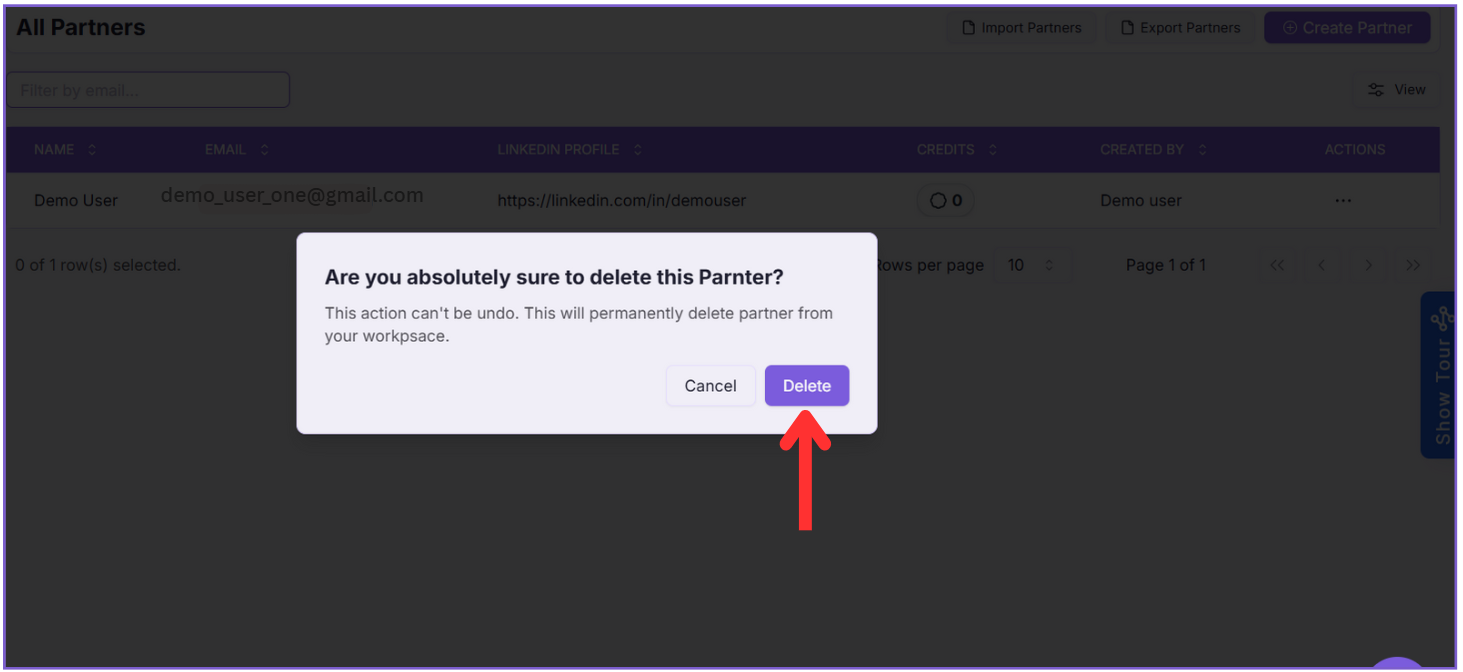
- A confirmation dialog will appear.
- Click Delete to permanently remove the partner from your workspace.
Note: Once you delete a partner, it cannot be undone. The partner will be permanently removed from your workspace.
Important Note: To delete a partner, make sure they’re not in any partnerships first. You’ll need to delete their partnerships before you can remove the partner.