
To make changes to an existing partner’s details, follow these steps:
Step 1: Open the Action Menu #
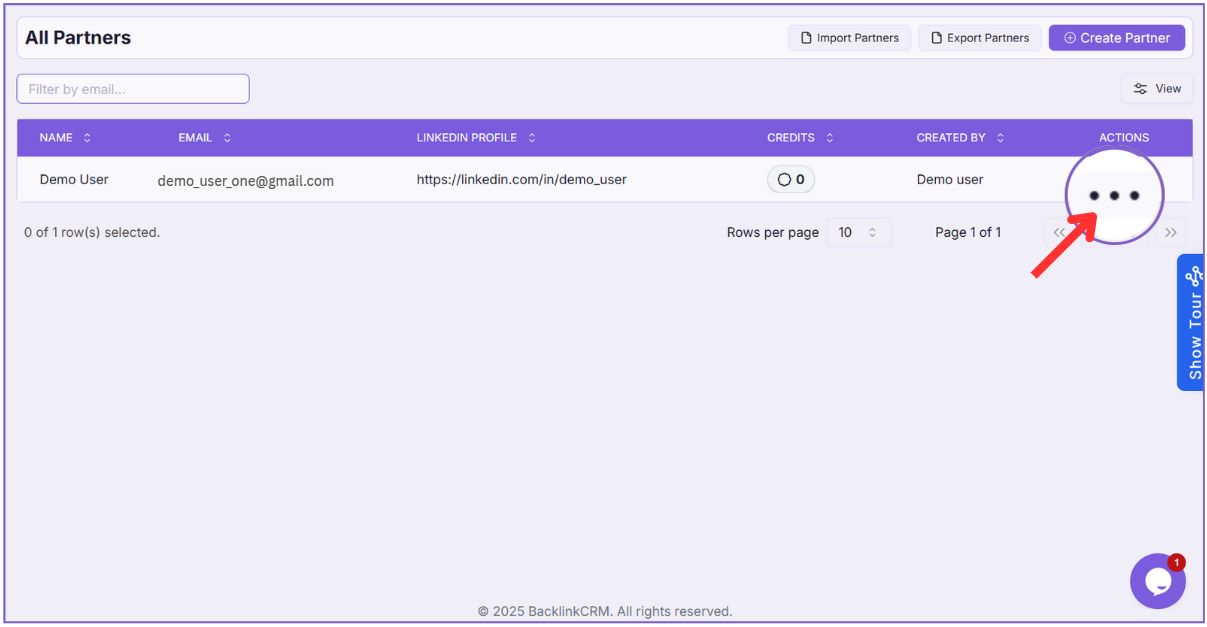
On the All Partners page, find the partner you want to update.
Click the three-dot menu under the Actions column.
Step 2: Select “Edit” #
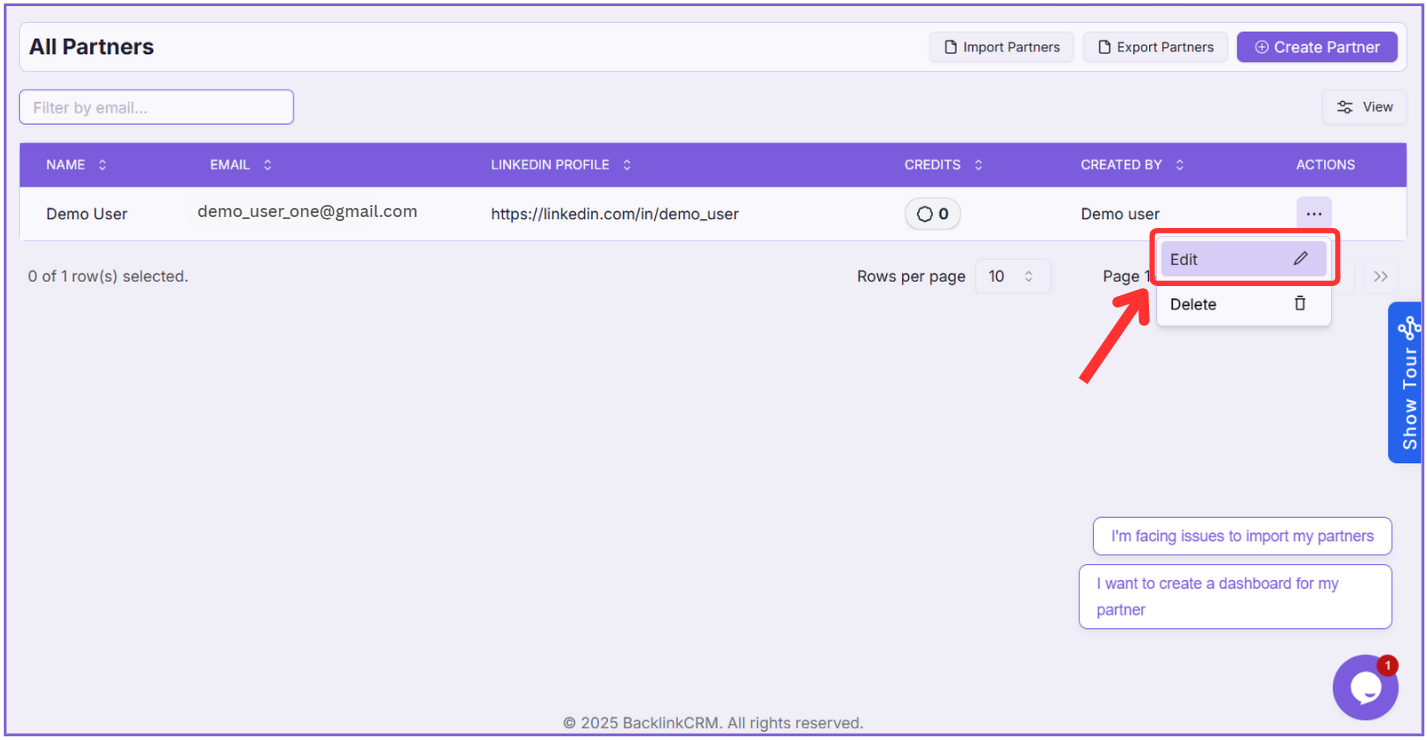
Click on Edit from the dropdown to open the update form.
Step 3: Update Partner Details #
You’ll be taken to the Update Partner screen where you can edit any of the following fields:
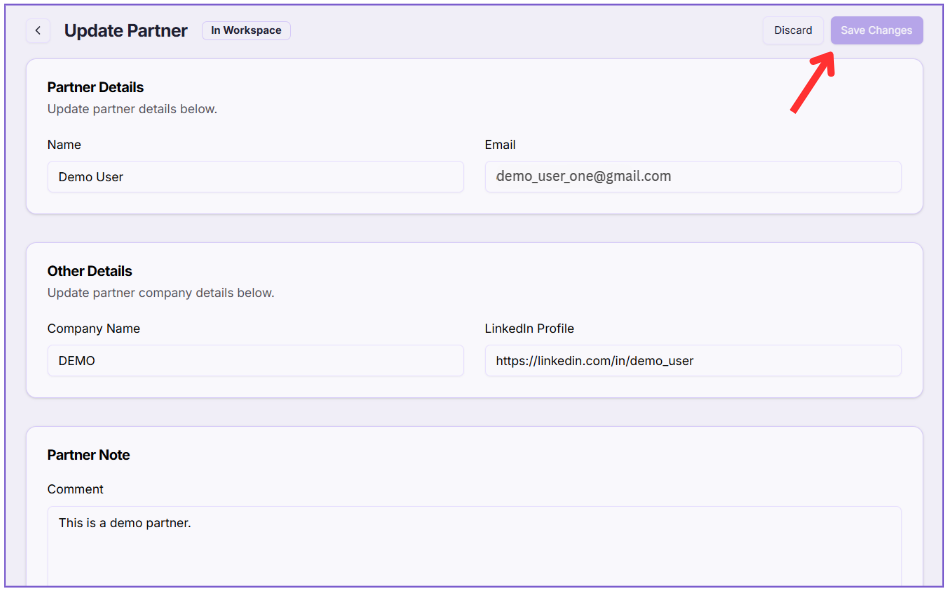
- Name – Update the partner’s full name.
- Email – Change their contact email address.
- Company Name – Modify the company they represent.
- LinkedIn Profile – Add or update their LinkedIn URL.
- Comment – Write or update any internal notes about this partner.
You can edit one or multiple fields as needed.
Make Changes & Save
Update any necessary fields and click Save Changes to apply the updates.
Your partner information will now reflect the updated details.
Note: click Discard if you don’t want to save the edits.