
Note: Create Partners Dashboard
The process to create a Partners Dashboard is the same — click CreatePartners Dashboard, choose a partner, and submit.
Managing your clients in BacklinkCRM is quick and easy. Follow the steps below to add a new client:
Navigate to the Clients Page #
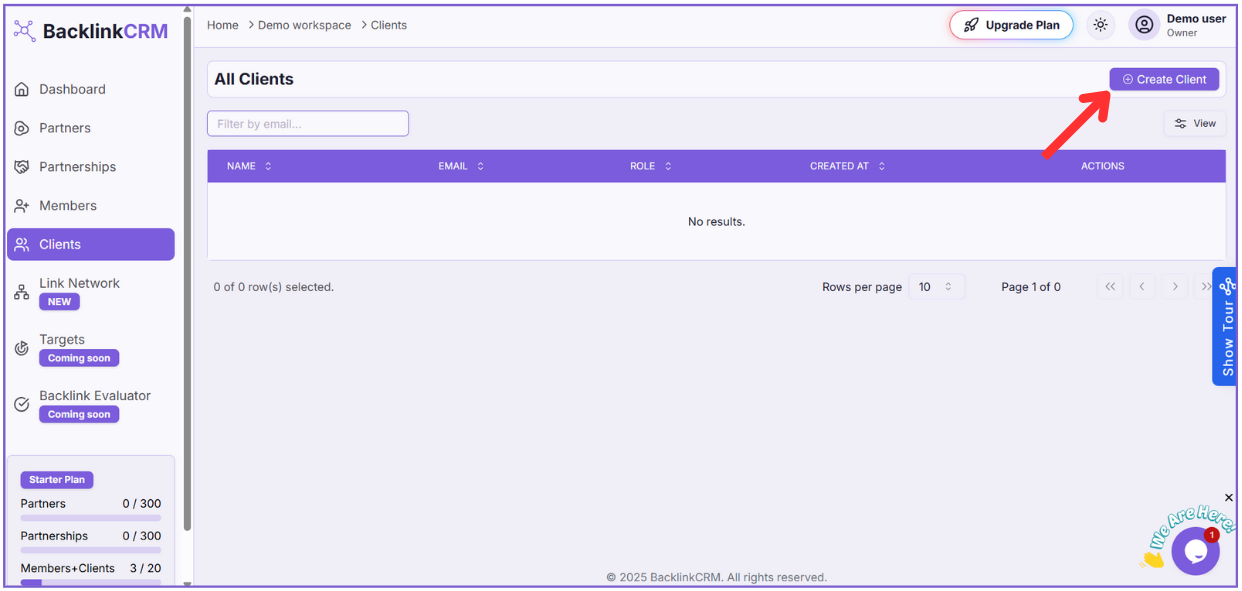
Go to the sidebar and click on “Clients” to open the All Clients page.
Step 1: Click on “Create Client” #
At the top-right of the Clients page, click the “Create Client” button.
Step 2: Select a Partner #
A dropdown will appear allowing you to select a Partner associated with the client. Choose the appropriate partner from the list.
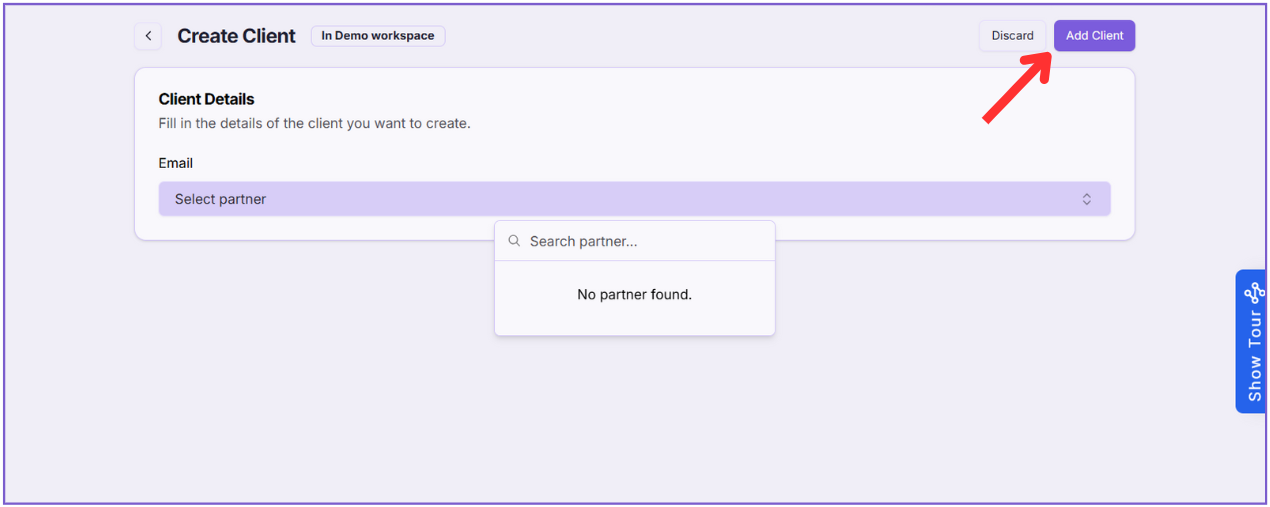
Step 3: Save the Client #
Click Add Client to successfully add the new client to your workspace.
That’s it! Your client will now be listed under the selected partner and visible in your client management dashboard.